
Make a One Time Payment in the B2B Checkout
Outline
Step 1: Enter the Checkout
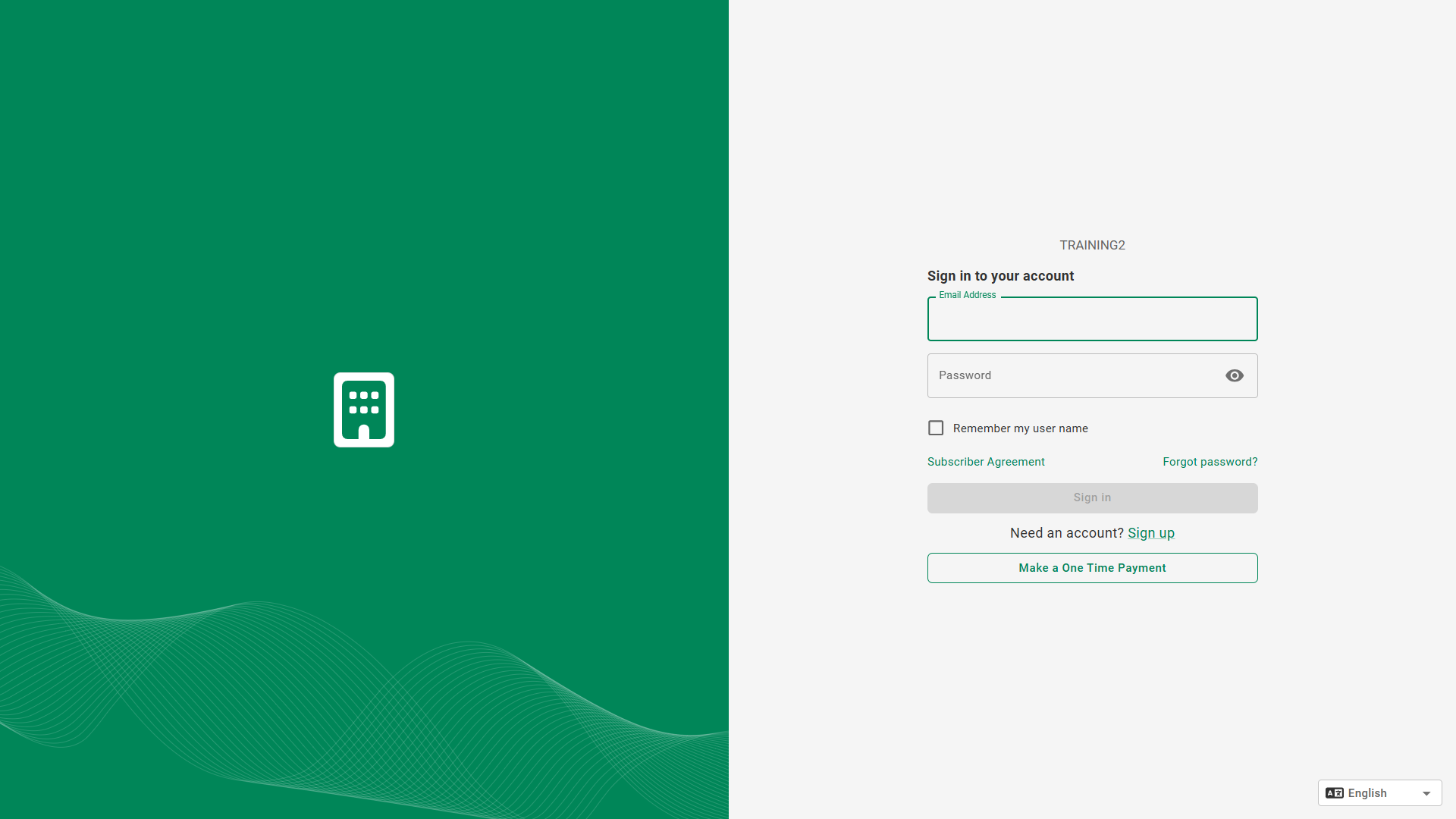
From the login screen, click: Make a One Time Payment.
Step 2: Provide Payment Details
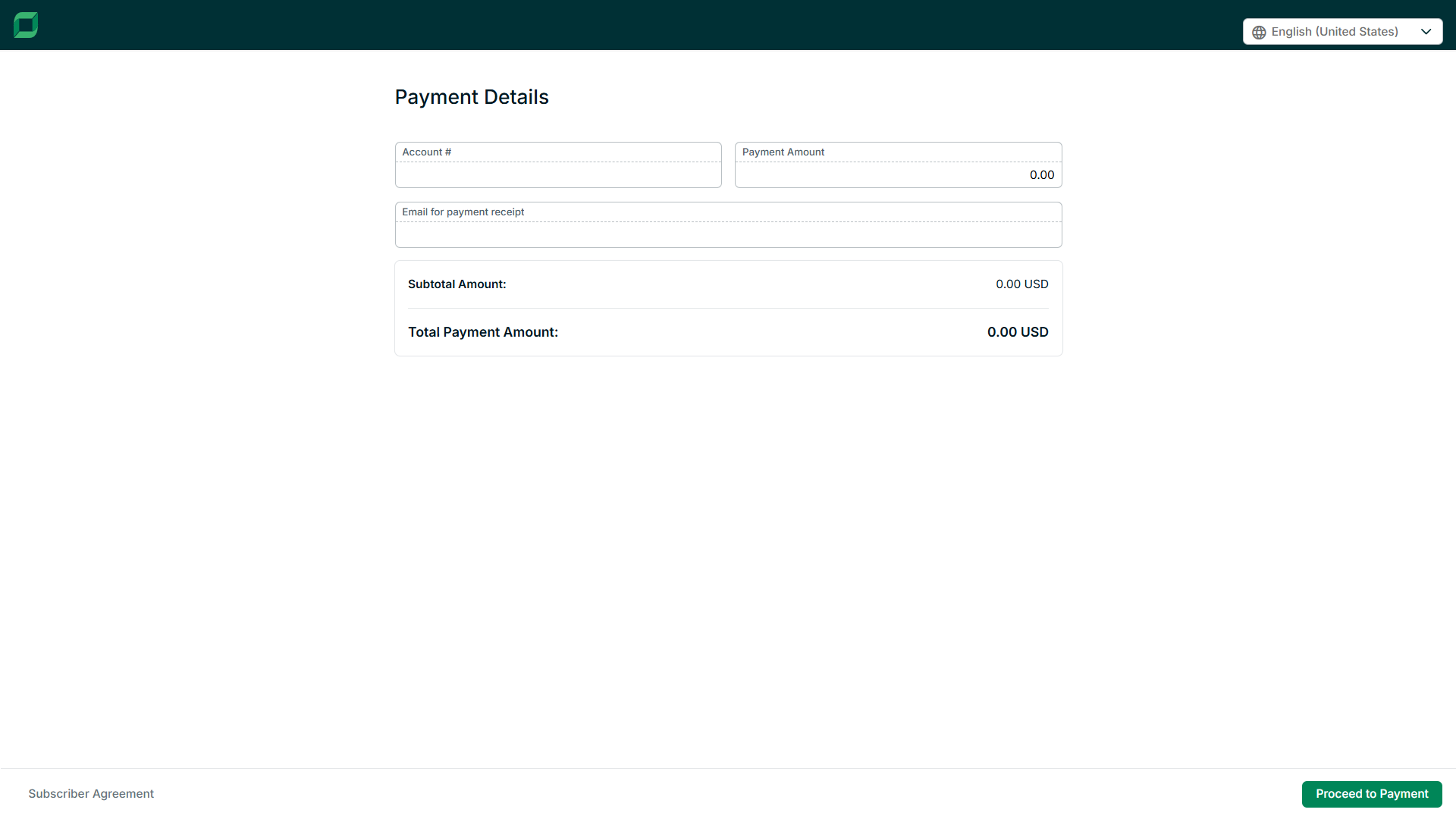
Enter the account information and payment amount, then click: Proceed to Payment.
Step 3: Select Payment Method
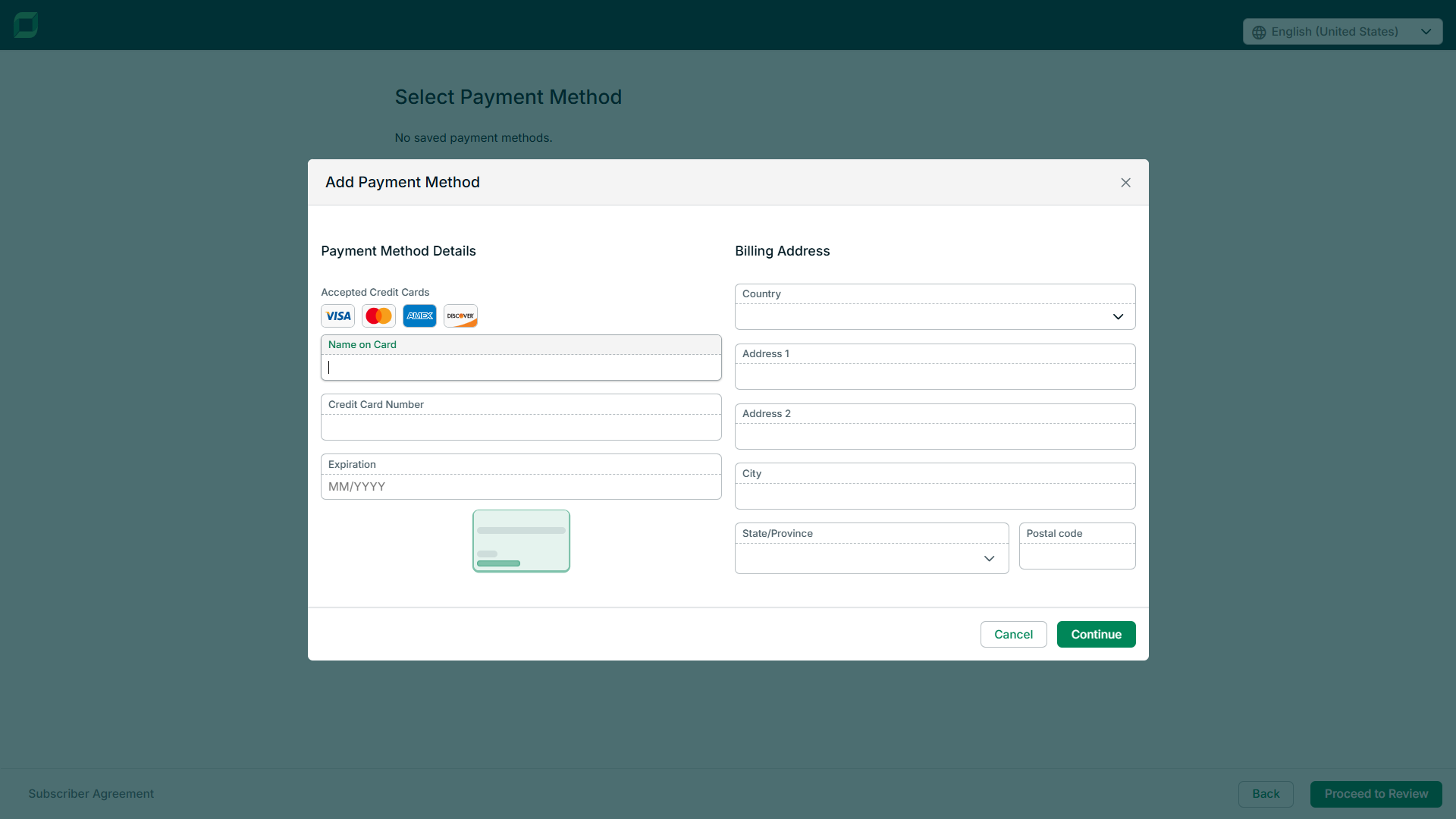
Select an existing payment method, or add details for a new payment method, then click: Continue.
Step 4: Include Additional Information
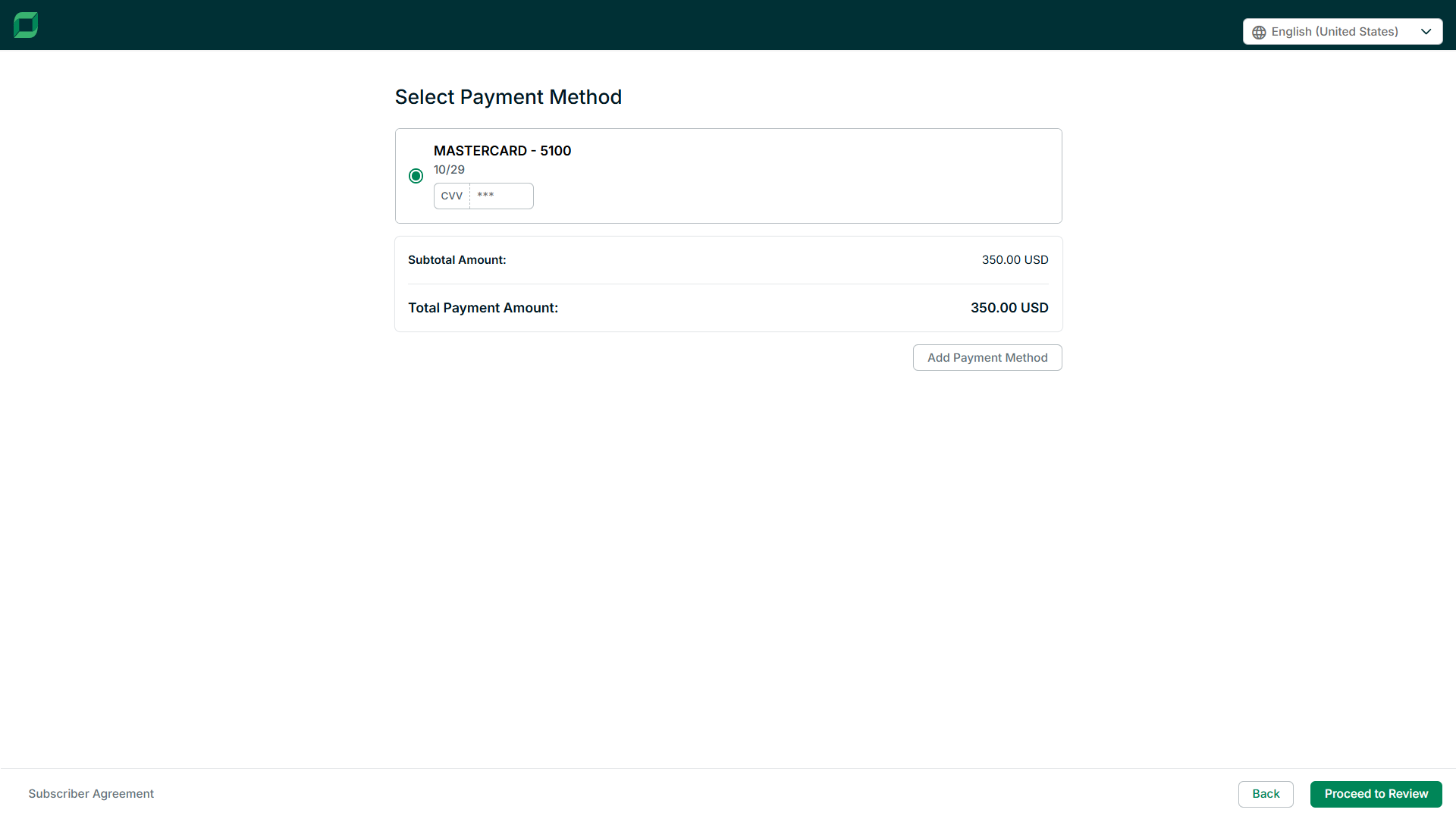
Provide any required details (ex. CVV for a card payment), then click: Proceed to Review.
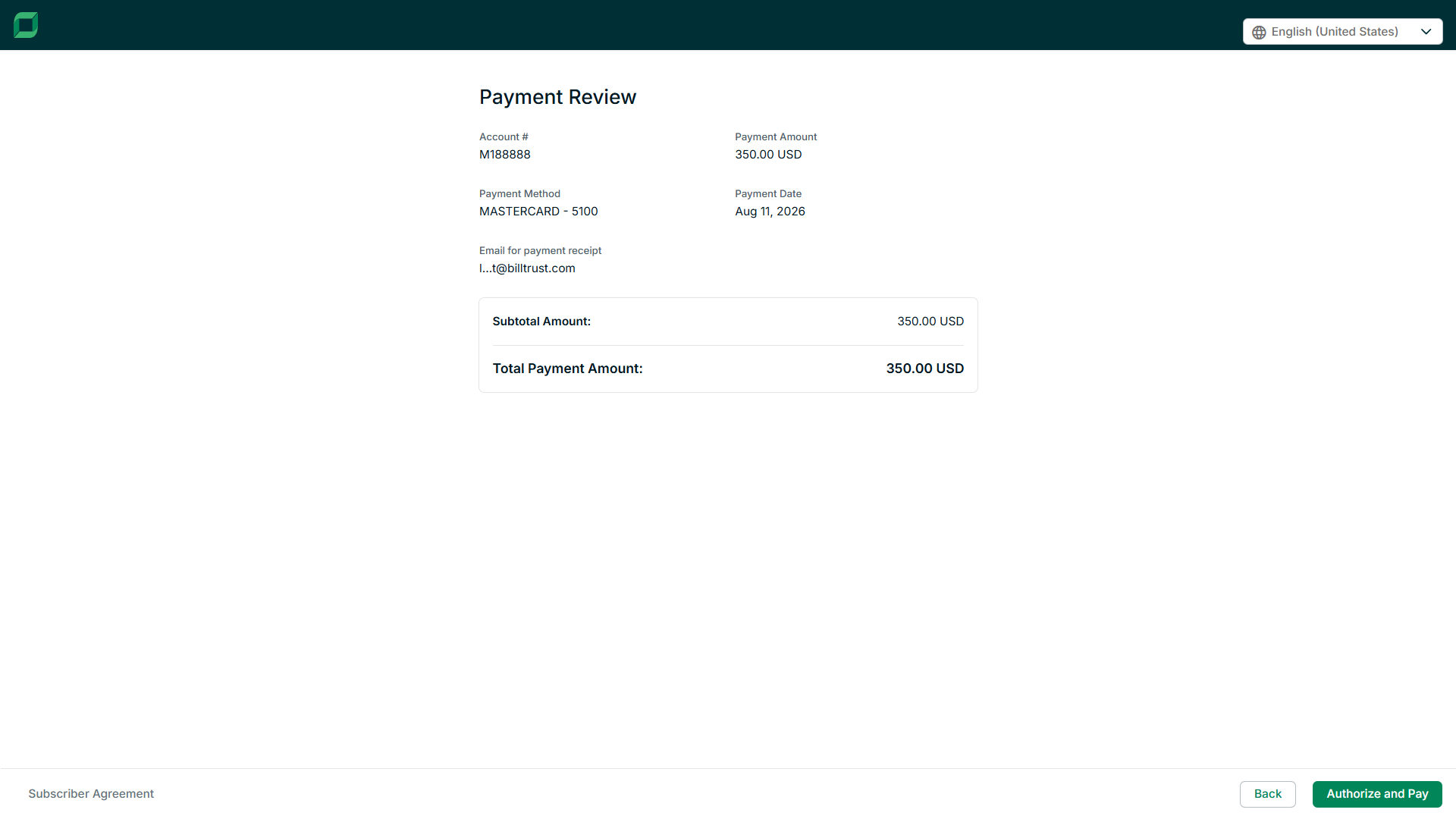
Step 5: Submit Payment
Review the payment information, click Back to make changes, otherwise, click: Authorize and Pay.
Payment Confirmation
You will receive a confirmation for your payment via email. You may also download a copy from the confirmation screen.